
一,生成密钥对 链接到标题
执行下述命令,生成密钥对,其中 -f 选项指定生成钥匙对的文件名。
$ ssh-keygen -t rsa -f ~/.ssh/id_rsa_blog01 -C "blog01@gmail.com"
$ ssh-keygen -t rsa -f ~/.ssh/id_rsa_blog02 -C "blog02@gmail.com"
二,配置SSH-Agent 链接到标题
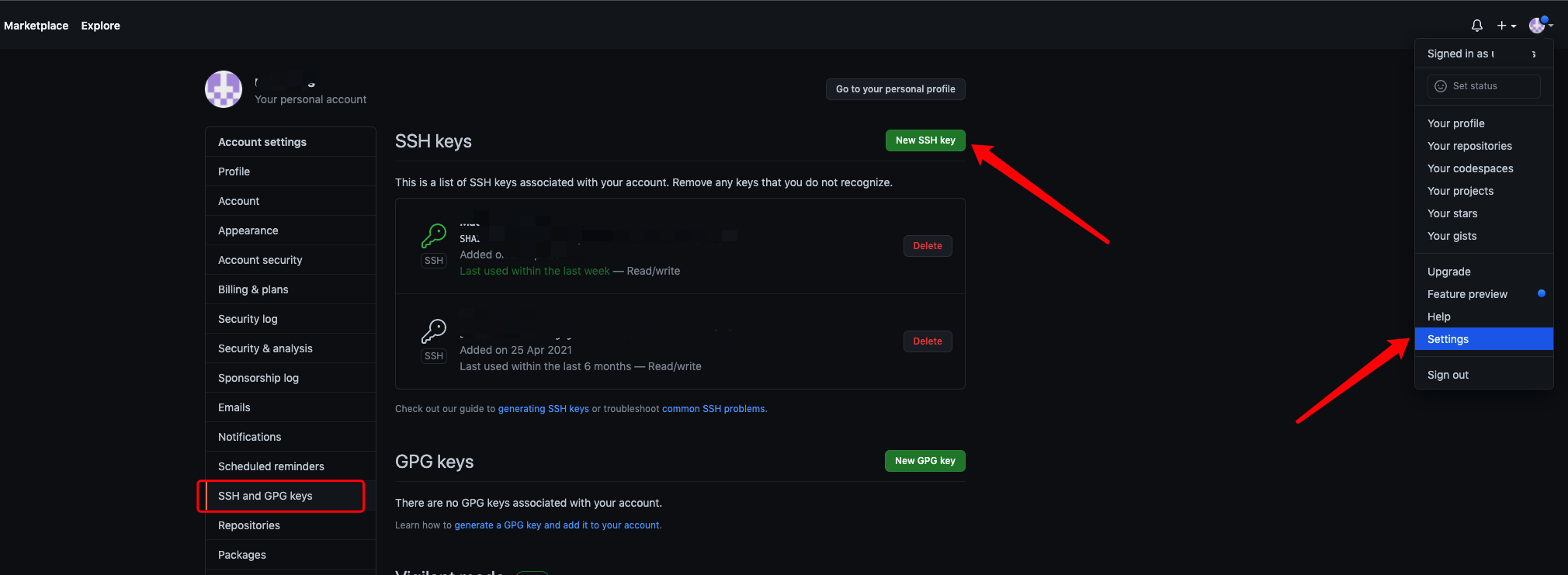
登陆Github账号,参考下图,复制文件~/.ssh/id_rsa_blog01 内容用于配置SSH Keys。
三,配置SSH 链接到标题
编辑 ~/.ssh/config SSH 配置文件,没有该文件则新建。
# blog01@gmail.com
Host github-blog01.com
HostName github.com
User git
IdentityFile ~/.ssh/id_rsa_blog01

# blog02@gmail.com
Host github-blog2.com
HostName github.com
User git
IdentityFile ~/.ssh/id_rsa_blog02
四,Git SSH使用 链接到标题
# blog01 账号
$ git remote add origin git@github-blog01.com:username/demo.git

# blog02 账号
$ git remote add origin git@github-blog02.com:username/demo.git
参考 链接到标题
- [1] GitHub 多账户设置
- [2] git-ssh 配置和使用